
ChatGPT Caricature Trend
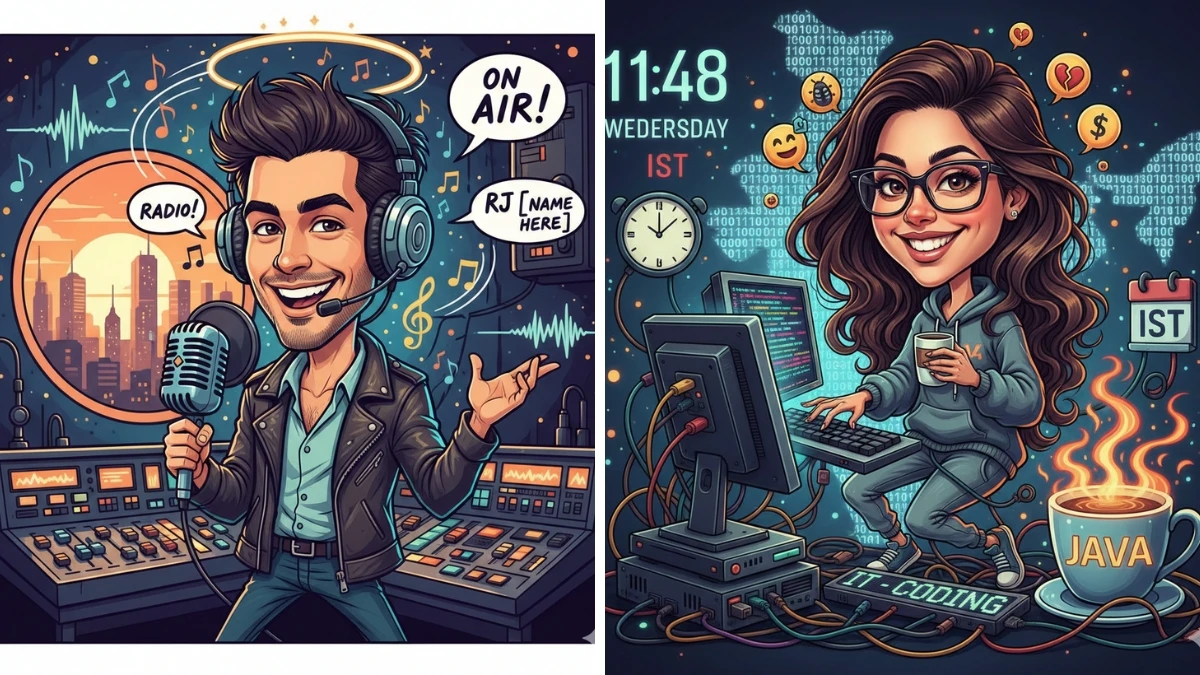
The ChatGPT caricature trend is blowing up right now on social media. It's this super fun, low-effort viral challenge where people ask ChatGPT to whip up an exaggerated, cartoon-style description (and often an actual image) of themselves tied to their job and personality.
The results? Hilariously spot-on roasts, surprisingly wholesome takes, or just plain chaotic fun that everyone wants to share.
The core hook is the prompt: “Create a caricature of me and my job based on everything you know about me.”
Folks paste it into ChatGPT, sometimes upload a selfie for better visuals, and then screenshot the wild output to post on Instagram, Facebook, X, TikTok, Threads, you name it.
It's perfect for engagement because the AI pulls from your chat history (if you've talked to it before), making it feel personal while exaggerating quirks like endless coffee runs, laptop chaos, or that one annoying coworker habit.
How the ChatGPT Caricature Trend Started
It seems to have kicked off in late January/early February 2026, with creators, meme pages, and everyday users sharing "try this prompt" posts and challenging followers to drop their results in the comments.
Places like Facebook groups, Instagram Reels, and Reddit threads (especially r/ChatGPT) exploded with examples, teachers surrounded by lesson plans and caffeine, parents juggling kids and deadlines, and even food truck owners in their setups.
The virality comes from how the outputs land: brutally accurate yet playful, often uncomfortably funny, or unexpectedly sweet. That mix keeps people tagging friends, laughing in comments, and turning it into mini office or family threads.
How To Do the ChatGPT Caricature Trend (Step-by-Step)
Ready to jump in? It's dead simple and takes just a couple of minutes.
Step 1 – Open ChatGPT and Start a Fresh Chat
Head to chatgpt.com (or the mobile app), log in, and kick off a new conversation. This helps the AI focus on your recent interactions and any profile vibes without dragging in unrelated old chats from months ago.
Step 2 – Use the Viral Prompt
Copy-paste this exact line:
“Create a caricature of me and my job based on everything you know about me.”
Hit send, and watch ChatGPT go to town — it’ll describe (and if you're on a version with image gen like GPT-4o, generate) an over-the-top version of you at work, complete with exaggerated features, props, and setting.
Step 3 – Add Extra Details (Optional but Powerful)
If the first result feels generic (especially on a fresh account), follow up with more context: “Here’s a quick rundown of my daily work: [bullet list your tasks, quirks, tools]. Now rewrite the caricature using these.” Or tweak the vibe: 'Make it brutally honest but still kind, ' or ' Go full sarcastic roast mode,' or 'Keep it wholesome and uplifting.” These nudges make the output way funnier and more tailored.
Turning Your ChatGPT Caricature Into an AI Image
The trend levels up when people turn text into visuals. If ChatGPT's built-in image generator (available in Plus/Pro tiers) isn't enough, many upload a selfie and prompt:
“Create a caricature of me and my job (Content Writer and SEO) based on everything you know about me.” or
“Turn this photo into a caricature based on the job description you just gave me, exaggerate the features, add work props like [laptop/coffee mug/camera], big head style.”
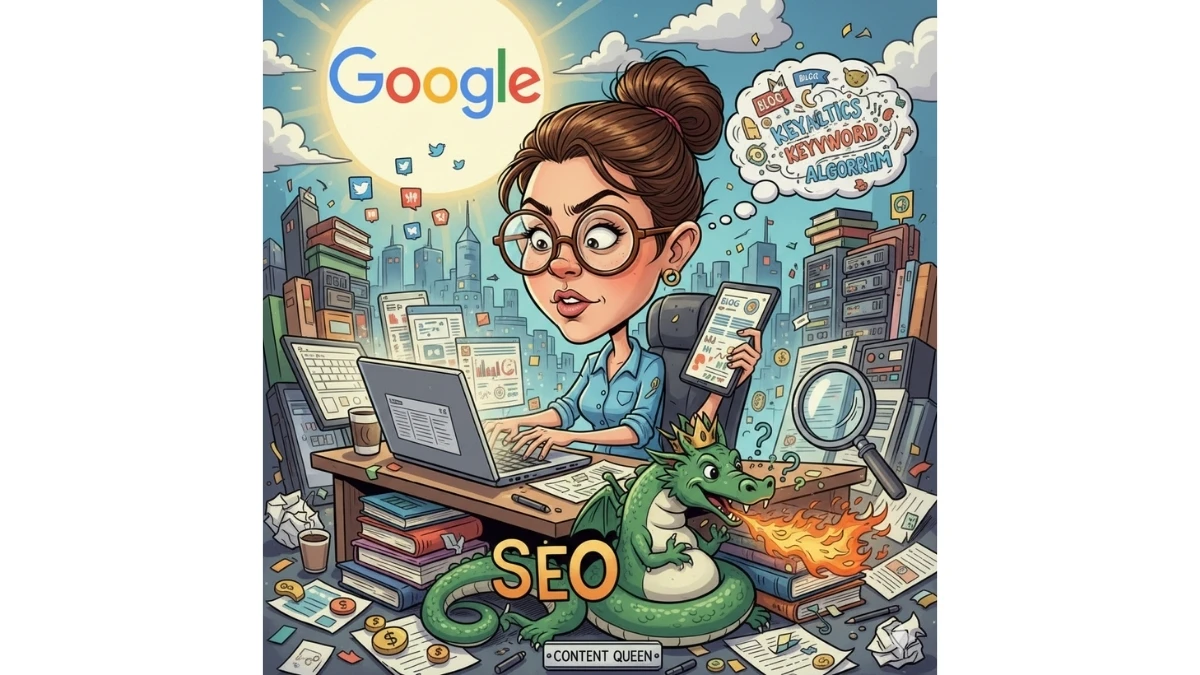
Tools like Media.io or other free AI image editors let you blend your real face with the caricature elements for that perfect viral look, think oversized head, job tools everywhere, and cartoon flair.
Best Prompt Variations for Funnier Caricatures
Want to dial up the laughs? Try these tweaks on the base prompt:
-
“Create a caricature of me and my job based on everything you know about me. Make it brutally honest but still kind.”
-
“Create a caricature of me and my job based on everything you know about me, exaggerating my worst work habits.”
-
“Create a caricature of me and my job based on everything you know about me, as if it were a comic book panel.”
Adding specifics like “include mountains of coffee mugs,” “stethoscope chaos,” or “endless Zoom windows” helps the AI nail props and settings for stronger visuals.
Privacy and Safety Tips Before You Try the Trend
Fun as it is, be smart: Don't feed ChatGPT sensitive stuff like addresses, work passwords, client names, or company secrets, even in "context" follow-ups.
When sharing screenshots, crop out your full name, email, or any other identifiable details. Remember, the AI's "knowledge" is just patterns from your chats and general data; it's guessing, not reading your mind.
Outputs can be off-base or quirky (like missing wedding rings in some reports), so take it with a grain of salt.
Creative Ways People Are Using the ChatGPT Caricature Trend
Beyond laughs, folks are getting creative:
-
Content creators are turning their Reels intros or "about me" slides.
-
Professionals making fun of LinkedIn/Slack avatars from the AI image.
-
Meme pages and groups running comment threads like “Drop your ChatGPT caricature below!” to rack up interactions and reach.
Disclaimer:
This article is based on publicly shared examples, social media posts, and reports (like FOX10 News coverage from February 2026) as of early February 2026. Trends move fast, so check current platforms for the latest. AI outputs vary by model/version — results aren't guaranteed to be accurate or flattering. Have fun, but share responsibly.