
Forget boring “best prompts” lists that recycle the same cyberpunk city and latte-art selfies. This year, Nano Banana Pro is closer to a creative director who actually understands structure, logic, and layout than a random image spinner.
When you pair it with sharp, strategy-driven prompts, the jump in clarity, text accuracy, and brand consistency is big enough to remake your entire visual workflow for 2026.
How to Create the Image
-
Open your Nano Banana Pro workspace (Gemini, Story321, DomoAI, or similar).
-
Choose Text-to-Image (for fresh art) or Image-to-Image (if you’re uploading a base photo).
-
Paste or type your Nano Banana Pro AI prompt, including subject, style, lighting, and aspect ratio (for example, 16:9 thumbnail or 9:16 Reel).
-
Select your resolution (aim for 2K or 4K if you need crisp social or print visuals).
-
Click Generate and wait for the outputs to render.
-
Pick the best result, then optionally run it again with a refining prompt (such as changing pose, background, or color mood).
-
Download the final image and export it in the format your platform needs (JPEG/PNG).
Join This Channel for Trending AI Image Prompts - CLICK HERE
Nano Banana Pro AI Prompts to Try in 2026 for Next-Level Results
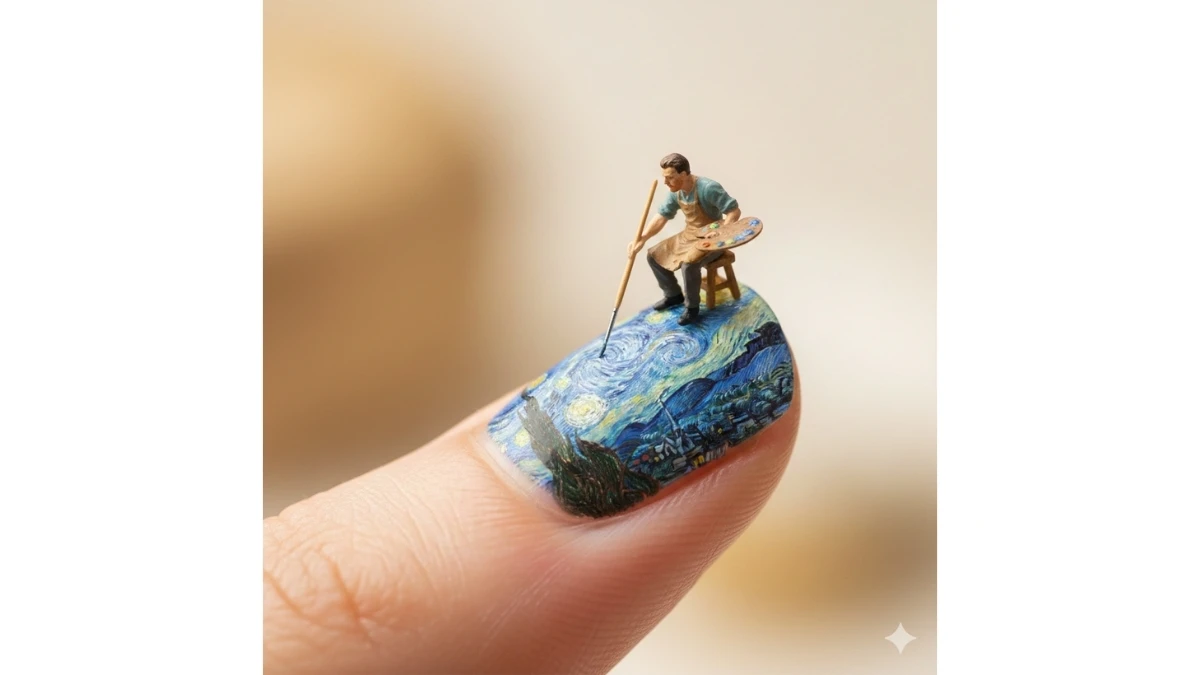
Prompt 1: Miniature Nail Art Masterpiece
Use This:
"Create a close-up, hyper-realistic macro photograph of a tiny artist sitting on a small wooden stool, carefully painting a [SUBJECT] on a giant human fingernail. The miniature painter is highly detailed and lifelike, holding a round wooden artist’s palette in one hand filled with rich, realistic paint colors, and a thin fine-tip detail brush in the other. The artist is meticulously recreating the lighting, textures, and brush strokes of the [SUBJECT], giving the illusion that the artwork is alive on the nail surface.
The fingernail appears smooth, glossy, and gently curved, with soft highlights, subtle reflections, and realistic skin texture around the cuticle area. The brush tip touches the nail delicately, showing micro-level precision and realism. Use soft, diffused studio lighting to create gentle shadows and depth without harsh contrast.
The background should be creamy, softly blurred (bokeh) to isolate the surreal activity, enhancing the sense of scale and imagination. Apply photorealistic macro depth of field, ultra-sharp focus on the miniature artist and painted area, with background falloff. Render in 8K resolution with extreme detail, cinematic realism, and imaginative surreal storytelling. Maintain natural color tones and avoid cartoon or exaggerated effects. Aspect ratio 8:3:9 (vertical)."
Best for: Surreal macro art concepts, creative AI portfolios, social media viral visuals, conceptual advertising, and imaginative photo-realistic storytelling projects.
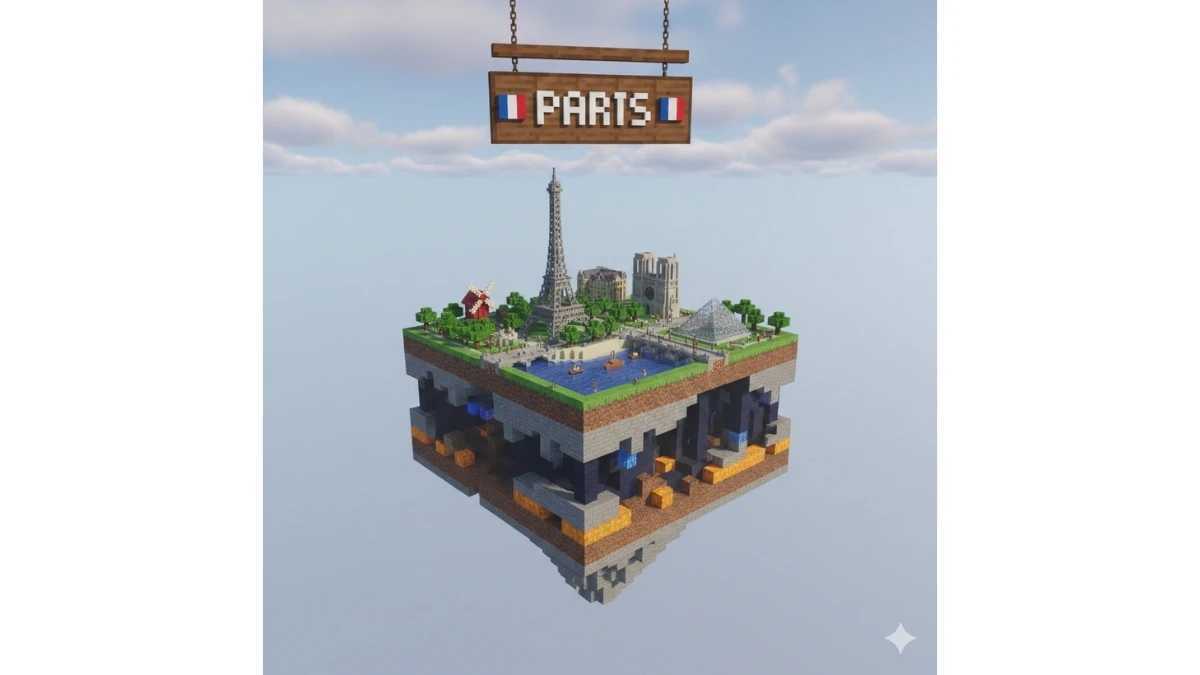
Prompt 2: Voxel City Floating Cube Diorama
Use This:
"Create a cinematic, ultra-detailed voxel-style 3D render of a floating, Minecraft-inspired cube representing [CITY]. The cube is suspended in mid-air and viewed from a slightly elevated, three-quarter angle for depth and realism. Each visible side of the cube reveals layered terrain textures in a classic Minecraft aesthetic — vibrant green grass on top, rich brown dirt beneath, rugged stone layers below, and occasional glowing elements such as lava pockets, caves, or illuminated blocks embedded within the layers.
On the top surface of the cube, construct a miniature voxel diorama of [CITY], showcasing its most iconic landmarks, skyline elements, cultural symbols, natural features, and local scenery — all built in a clean, blocky Minecraft style. Include recognizable buildings, monuments, trees, roads, water features, and terrain that visually represent the city while maintaining scale consistency and voxel accuracy.
Hovering just above the cube, place a wooden pixel-style signboard displaying the text “[CITY]” in bold white block letters, centered and clearly readable. Position the [COUNTRY FLAG EMOJI] beside the city name for instant recognition. The sign should feel integrated into the Minecraft world, with pixelated wood texture, visible grain blocks, and slight depth.
Set the background as a soft, natural daytime Minecraft sky with voxel-style clouds, subtle gradients, and gentle sunlight. Use balanced cinematic lighting with soft voxel shadows, mild atmospheric haze, and realistic ambient occlusion to enhance depth without overpowering the subject. Ensure the cube remains the clear focal point, with crisp edges, rich color contrast, and immersive world-building. Avoid realism outside the voxel aesthetic — everything should feel handcrafted, block-based, and game-inspired. Render in high resolution with sharp detail and cinematic composition."
Best for: Minecraft-style city visuals, gaming-themed artwork, educational geography content, YouTube thumbnails, creative travel posters, and voxel-based AI art showcases.
10 Gemini Saraswati Puja 2026 Portrait Prompts - Try Now!
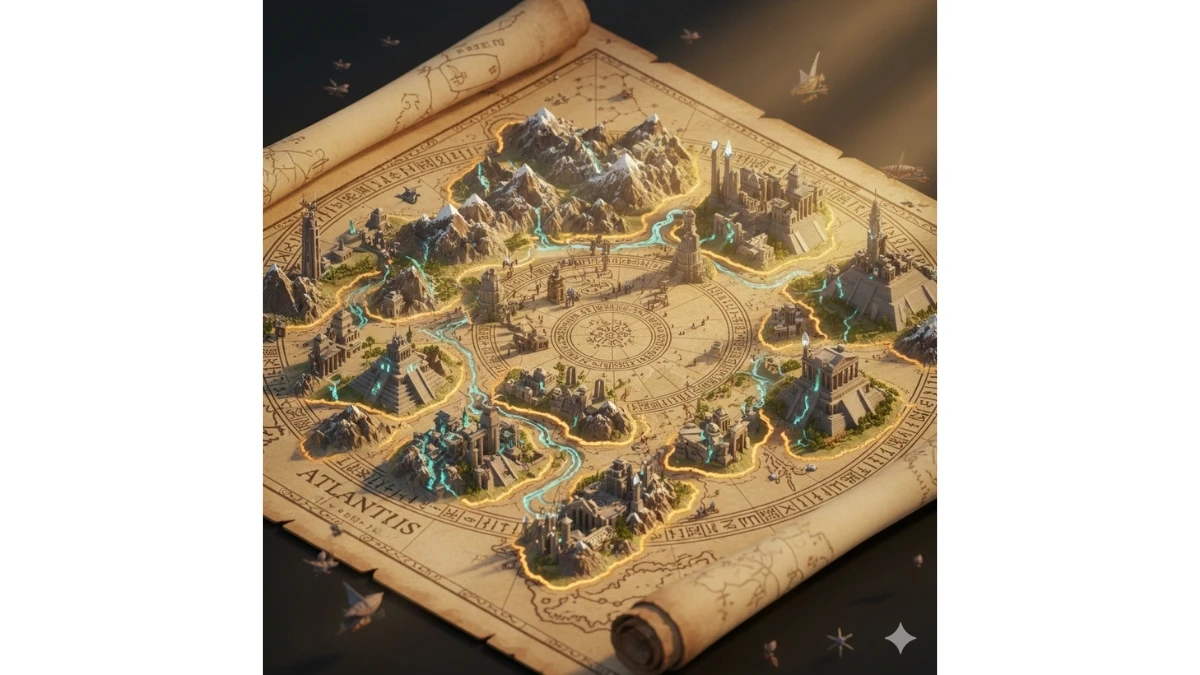
Prompt 3: Epic Living Atlas Map
Use This:
"Create an epic 3D isometric cinematic atlas scene where a massive ancient map of [SUBJECT] erupts from an unfurled parchment scroll, dominating nearly the entire frame. The parchment lies on a weathered wooden table, its edges curled and textured with age, cracks, ink stains, and embossed symbols. From the map surface, hand-drawn ink lines ignite into living terrain: jagged mountain ranges thrust upward in layered ridges, fortified cities rise vertically in stacked architectural tiers, glowing rivers carve their way across the land, and national or regional borders shimmer and softly burn in molten gold.
Depict multiple civilizations existing simultaneously across time — [CIVILIZATION LAYERS] — with distinct architectural styles (ancient, medieval, imperial, industrial, modern) phasing through one another as if time itself is folding. Structures overlap translucently, showing evolution without erasing earlier eras. Roads, trade routes, and coastlines glow faintly, hinting at movement and history.
A carved, spiraling timeline weaves across the map, engraved with dates and inscriptions in [LANGUAGE], etched into stone-like paths and glowing subtly at key historical moments. Use extreme scale contrast: tiny human figures, ships, and caravans move within the map while colossal mountains and cities tower above them.
Lighting is dramatic golden-hour sunlight streaming from one side, casting long cinematic shadows and illuminating floating volumetric dust and parchment particles. Employ deep cinematic depth, rich ambient occlusion, and ultra-dense micro-detail everywhere — from brick textures to engraved symbols. Render in 8K quality, Unreal Engine 5 style realism, with epic fantasy-historical storytelling. Maintain a grand, mythic tone while keeping materials believable and grounded. Avoid cartoon styling."
Best for: Historical visualization art, documentary and explainer visuals, epic fantasy worldbuilding, educational posters, cinematic concept art, and high-end AI art portfolios.
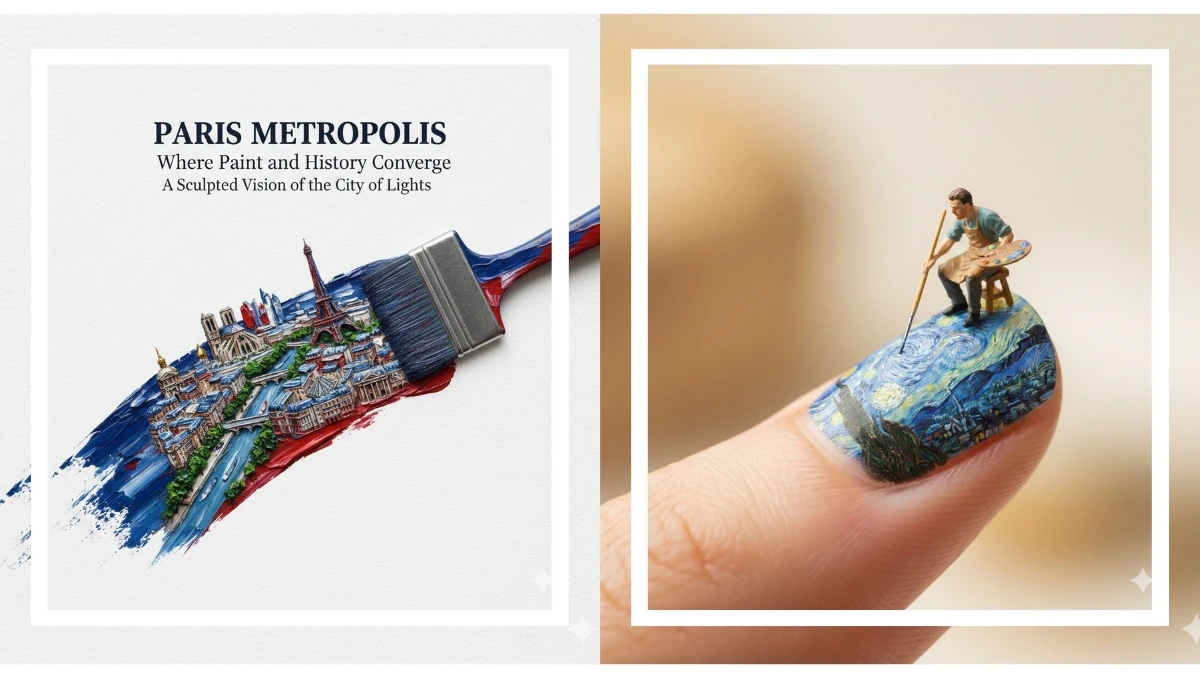
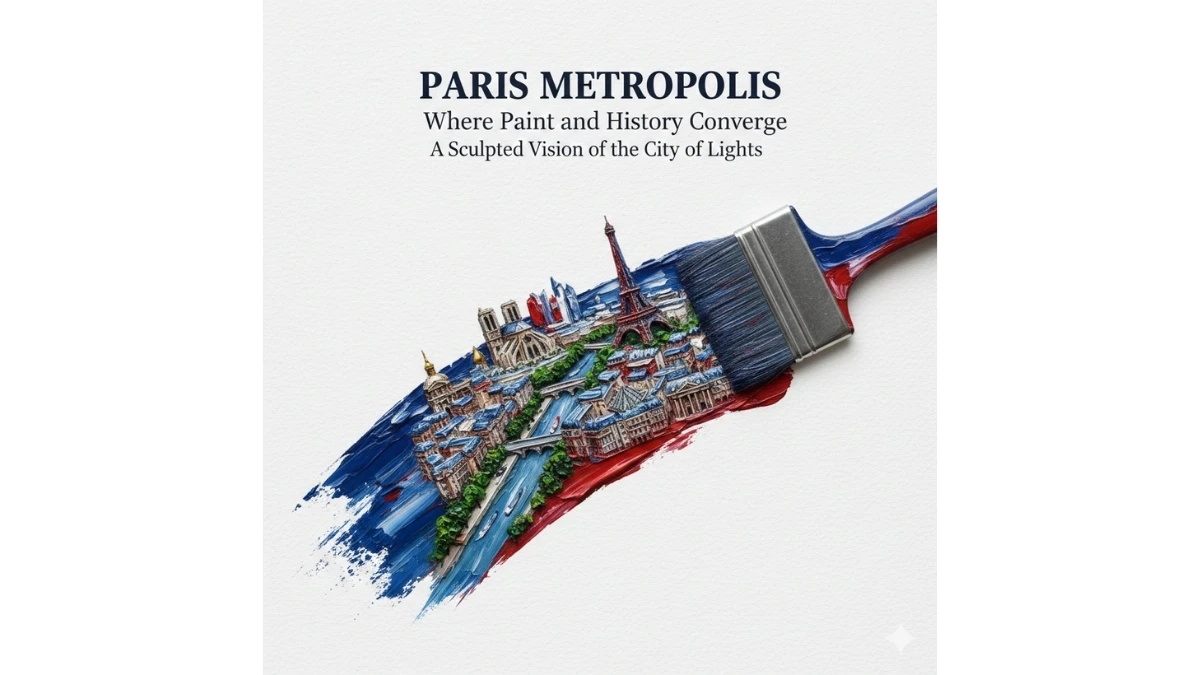
Prompt 4: Painted Metropolis Brushstroke
Use This:
"Create a hyper-realistic, poster-grade artistic composition where a single paintbrush is captured mid-motion, painting a refined, elegant brushstroke that flows diagonally from the lower left to the upper right of the canvas. The brush tip is visible and ends cleanly at the upper-right edge, with no paint bleeding beyond the stroke.
Inside the brushstroke exists a miniature world of [CITY], rendered as an ultra-detailed 3D bas-relief cityscape sculpted entirely from layered paint. Within the stroke, depict iconic landmarks, recognizable architecture, skyline rhythms, roads, bridges, and urban geometry of [CITY], arranged cohesively with clear depth, elevation changes, and subtle relief. Buildings and structures should emerge naturally from thick and thin paint layers, giving the illusion of carved paint turning into architecture.
The artistic style blends impasto oil painting techniques with refined academic poster design. Use heavy, textured paint ridges for depth alongside smoother glazed sections for contrast. The color palette must follow the official flag colors of the country associated with [CITY], blended harmoniously and naturally across the brushstroke without harsh separation.
Composition is minimalist and top-down, surrounded by pure white negative space on fine textured art paper. No elements may escape the brushstroke boundary; all city details must remain strictly contained within the painted form.
Typography is elegant and restrained:
• Title text reads “[CITY] METROPOLIS” in refined serif typography
• A poetic subtitle and supporting serif copy appear below or beside the stroke, cleanly spaced with precise alignment and generous margins
Lighting is soft but directional, emphasizing paint texture and bas-relief depth with subtle shadows. Render in hyper-realistic HDR, cinematic clarity, ultra-fine detail, and 8K resolution. The final image should feel like a museum-grade art poster—conceptual, refined, and visually powerful. Avoid cartoon styles, clutter, or visual noise."
Best for: High-end poster design, city branding visuals, art exhibitions, editorial covers, cultural campaigns, and premium AI art portfolios.
MUST TRY - Spot 55 & 25 in 9 Seconds
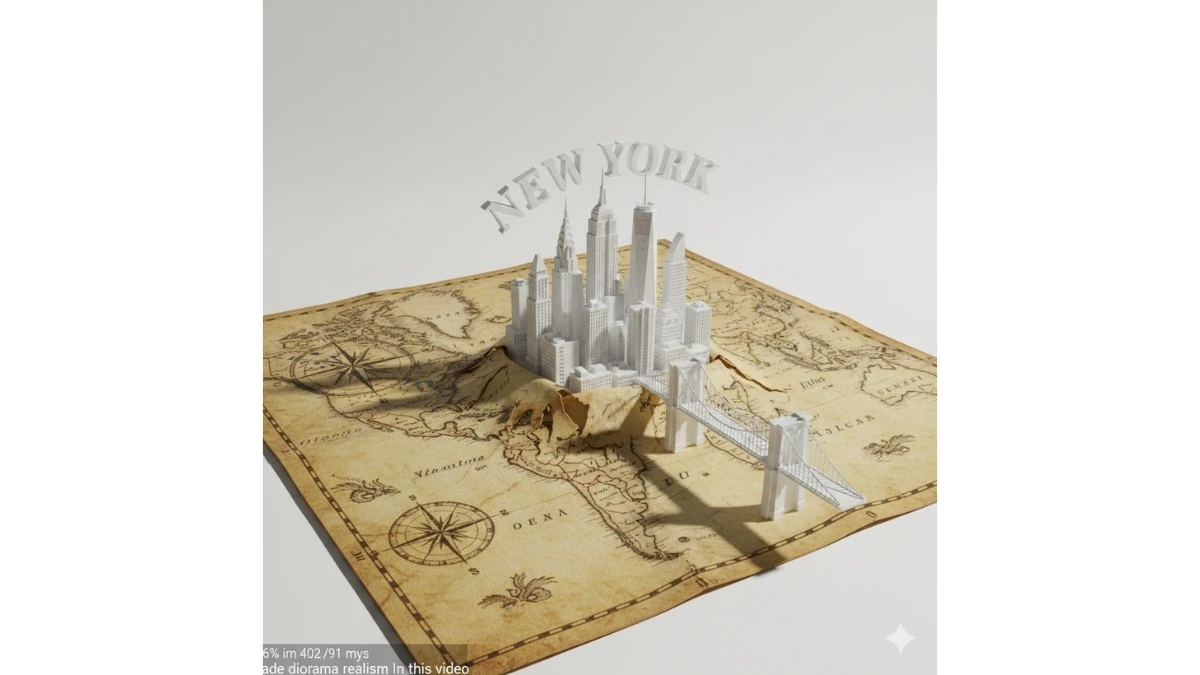
Prompt 5: New York Emerging From the Map
Use This:
"Create a cinematic, ultra-detailed 3D diorama-style scene where New York City dramatically emerges from a weathered antique world map. The map fills most of the frame and is focused on the northeastern United States, with the Atlantic Ocean clearly labeled in vintage cartographic script. The parchment map is aged, cracked, and slightly torn, featuring old ink lines, compass roses, longitude–latitude grids, and hand-drawn coastlines.
At New York’s exact position, the map is ripped open, and the folded parchment geography forms a sculptural 3D base. From this tear, New York’s skyline rises upward as a miniature metropolis. Include instantly recognizable landmarks: Empire State Building, One World Trade Center, and the Chrysler Building, all rendered as stylized foam-core–like architectural models in matte white, clean and minimal, with sharp edges and subtle surface texture.
The Brooklyn Bridge arcs gracefully from a folded edge of the map into the city, acting as a gateway between the flat cartography and the rising metropolis. Nearby, include small but clear symbolic elements such as the Statue of Liberty positioned near the waterfront. Above the opening, large sculptural 3D letters spelling “NEW YORK” arch over the tear like a monumental portal, integrated naturally into the scene.
Emphasize scale contrast: the antique map appears massive and grounded, while the city feels like a precise miniature diorama bursting from it. Surrounding map details—ocean labels, decorative borders, and compass roses—remain visible to reinforce the cartographic theme.
Lighting should be bright, diffused studio light with a clean white background, creating a modern gallery feel. Add soft cinematic shadows beneath the buildings and folds of the map to enhance realism. Maintain diorama realism with crisp focus, subtle depth of field, and high-detail textures. Render in ultra-high resolution (8K) with a polished, museum-quality finish. Avoid cartoon styles or overly colorful materials; keep the look elegant, architectural, and refined."
Best for: City branding visuals, documentary or explainer thumbnails, architectural concept art, educational geography visuals, cinematic AI showcases, and premium poster designs.
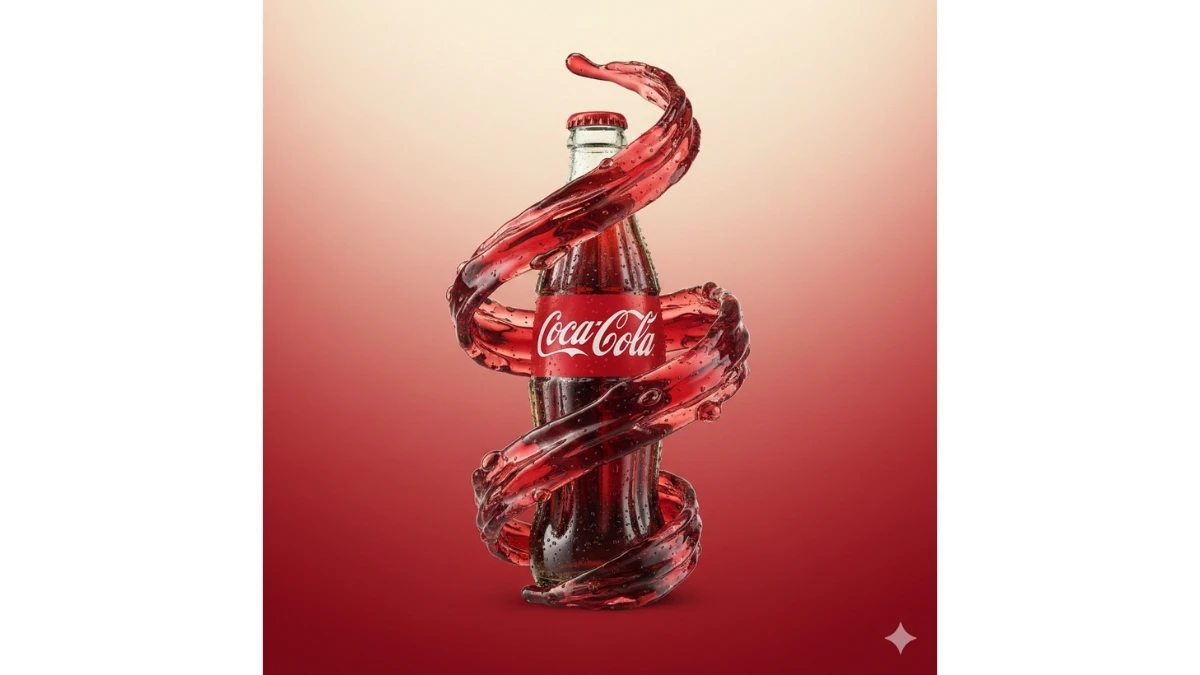
Prompt 6: Liquid Splash Product Hero Shot
Use This:
"Create a professional studio-grade product photograph of [PRODUCT], perfectly centered and facing the camera with a confident, premium presence. The product surface is ultra-clean and hyper-detailed, showing realistic materials, subtle reflections, and fine texture. Surround the product with dynamic, high-energy liquid splashes that spiral and wrap around it in mid-air, frozen at peak motion. The liquid should appear crystal-clear or color-tinted to complement the brand identity, with visible droplets, micro-splashes, and surface tension effects interacting naturally with the product.
Set the background as a clean, minimalist gradient that seamlessly matches the color palette and branding of [PRODUCT], transitioning smoothly without banding or noise. Use high-end commercial lighting: a soft key light to define form, controlled rim lights for edge separation, and subtle fill lighting to preserve detail without flattening the subject. Add a cinematic atmosphere with gentle contrast, soft falloff, and controlled highlights.
Ensure sharp focus on the product, with realistic depth of field so droplets closer or farther away fall slightly out of focus. Include fine water beads on the product surface for added realism and freshness. Render in 8K resolution, hyper-realistic quality, photoreal textures, and pristine clarity suitable for luxury advertising. Avoid clutter, text, or props—keep the composition bold, modern, and brand-forward."
Best for: E-commerce hero images, luxury product advertising, brand campaigns, website landing pages, social media ads, and high-end commercial visuals.
10 Gemini Pongal 2026 Festive Portrait Prompts - Try Now!
Prompt 7: Smartphone as 3D Product Showroom
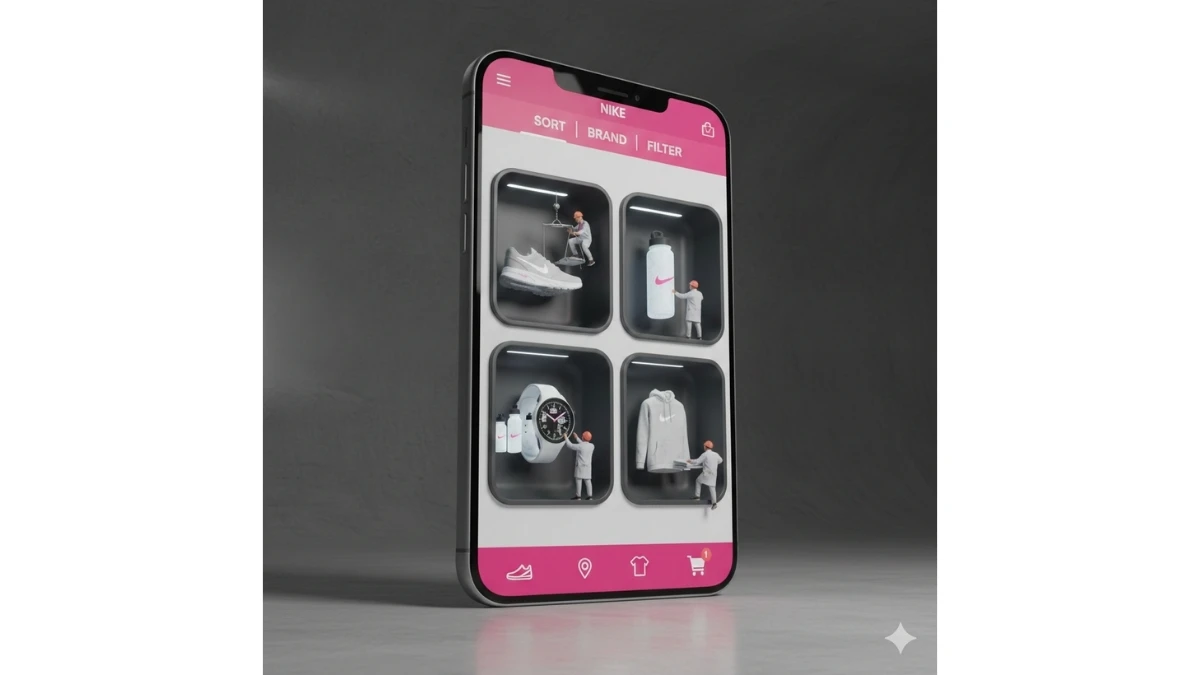
Use This:
"Create a hyper-realistic 3D commercial photograph of a giant smartphone standing vertically on a [FLOOR MATERIAL] studio floor (e.g., polished concrete, matte marble, brushed metal). The phone is viewed from a slight 3/4 perspective angle to emphasize scale, depth, and realism. The device has premium materials—glass with subtle reflections, precision metal edges, and crisp seams—rendered with photoreal textures.
The smartphone screen functions as a physical display cabinet, carved into the glass with four deep, recessed alcoves arranged in a 2×2 grid. Each alcove contains volumetric 3D products (e.g., shoes, gadgets, cosmetics, appliances), floating or resting naturally, casting deep, realistic shadows and ambient occlusion onto the recess walls. Alcoves have beveled edges and internal lighting to enhance depth.
UI Theme: “[THEME NAME]”
Use a [COLOR PALETTE] palette across the interface. The top bar includes clean, modern labels: SORT | BRAND | FILTER. The bottom navigation features [ICON COLOR] minimalist icons with subtle glow and tactile depth; the cart icon displays a red notification badge showing “1”. Typography is crisp and modern, aligned with premium e-commerce aesthetics.
Add four lifelike miniature workers in [UNIFORM DESCRIPTION] (e.g., neutral workwear, brand-colored aprons, sneakers). Each worker has realistic skin tones, hair strands, fabric folds, and accessories. They interact naturally with the products—one inspecting, one adjusting lighting, one carrying a box, one using a tablet—creating a sense of activity and scale contrast.
Lighting: Use [LIGHTING STYLE] (e.g., cinematic softbox with rim lights, studio HDRI with accent spots) to highlight [TEXTURE] (glass clarity, metal edges, fabric weave, product surfaces). Include soft floor reflections, controlled highlights, and gentle shadows for a premium commercial look.
Render in 8K, hyper-realistic quality, clean studio environment, shallow depth of field focused on the phone and alcoves. Avoid clutter; keep the composition bold, modern, and brand-forward."
Best for: E-commerce hero visuals, app launch campaigns, product showcases, tech advertising, website landing pages, and premium commercial portfolios.
Prompt 8: Memories Folded Into Paper
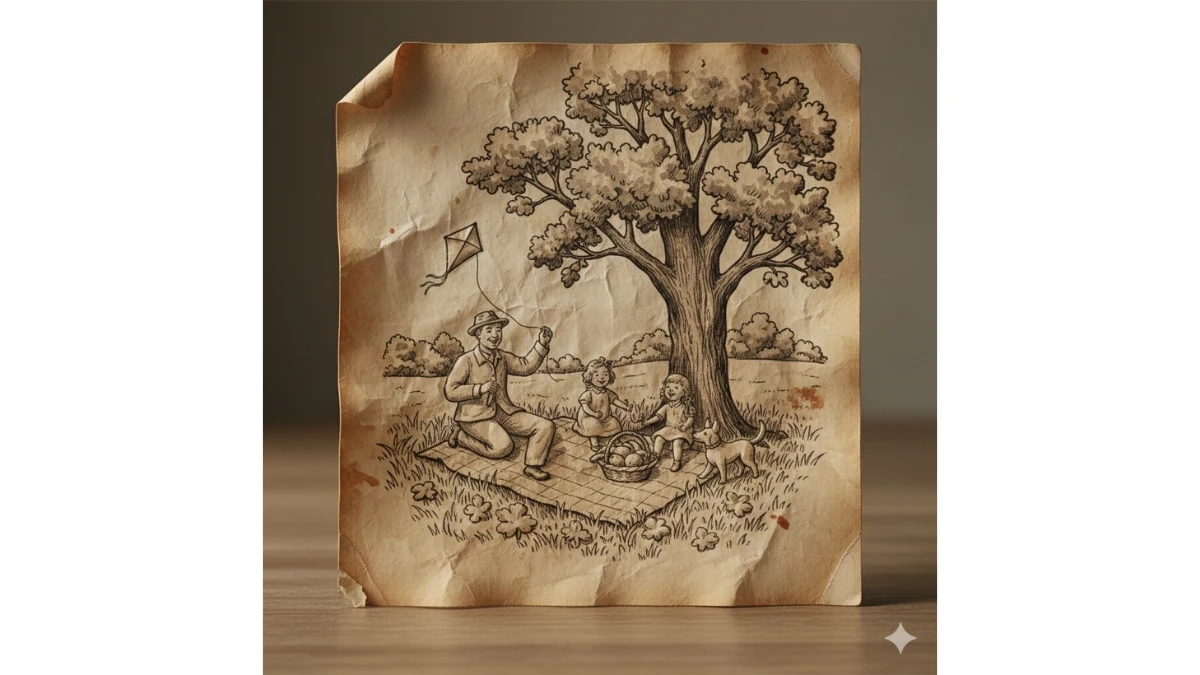
Use This:
"Create a hyper-realistic close-up photograph of a folded sheet of aged paper resting on a neutral tabletop surface. The paper should appear old and tactile, with visible grain, fibers, ink bleed, subtle stains, faded markings, curled edges, torn corners, and softened creases formed by years of handling. The folds act as natural contours.
Within the paper’s creases and surfaces, depict [SCENE or MEMORY] emerging organically from the folds, as if the memory is sculpted from the paper itself—similar to intricate origami or bas-relief. All environments, figures, and objects must appear embossed, etched, or printed directly into the paper, using wrinkles, fold lines, and ink textures to define depth and form. No separate objects—everything is part of the paper.
Use restrained, ink-based tones (sepia, charcoal, desaturated browns) with natural fading. Add subtle cast shadows within creases to enhance dimensional depth, with micro-details like cracked ink lines and softened edges where the image wears thin.
Set the scene on a simple, neutral tabletop (wood or stone). Illuminate with soft directional light from one side, creating gentle highlights and shadows that emphasize texture and relief without harsh contrast. Employ shallow depth of field to keep the paper and its sculpted memory in crisp focus while the background softly falls off.
Render in photorealistic 8K, cinematic macro detail, handcrafted visual illusion, and emotional storytelling—quiet, tactile, and intimate. Avoid glossy effects, bright colors, or modern materials."
Best for: Conceptual art, emotional storytelling visuals, editorial features, book covers, museum-style posters, and premium AI art portfolios.
MUST TRY - Spot 95 in 5 Seconds
Prompt 9: Epic Superhero Ensemble Poster
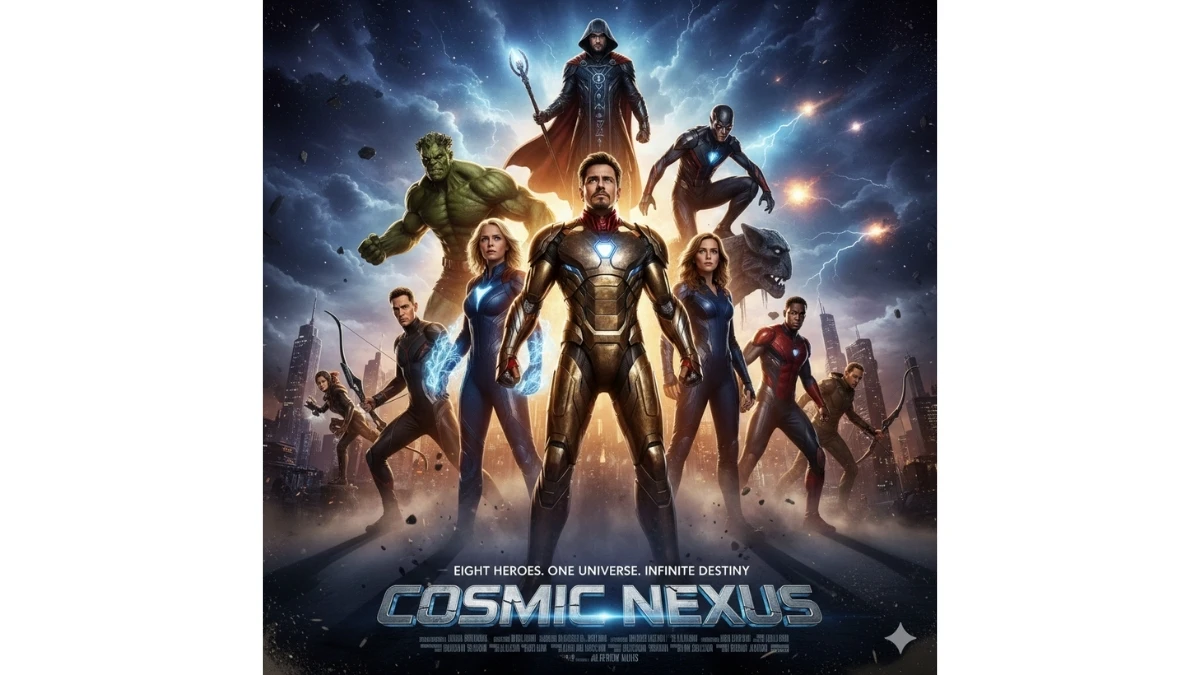
Use This:
"Create a professional Hollywood blockbuster movie poster featuring all 8 superheroes from the provided reference images, preserving each character’s unique costume, colors, proportions, and facial identity. Arrange the heroes in a dynamic, heroic group composition with clear depth and hierarchy: one or two central heroes in the foreground as the primary focus, with the remaining characters positioned at varying depths behind and to the sides, forming a powerful layered triangle or arc.
Use a dramatic worm’s-eye (upward-looking) camera angle to amplify power, scale, and dominance. Set the scene against an epic cinematic background—stormy clouds rolling over a city skyline, a fractured metropolis at dusk, or a cosmic sky with energy streaks—subtly blurred to keep focus on the heroes. Integrate environmental elements like lightning, embers, rain mist, or cosmic particles to heighten intensity.
Apply cinematic lighting: strong key lights to sculpt forms, deep shadows for contrast, and rim lighting around each hero to separate silhouettes from the background. Add selective color grading (teal–orange or heroic neutral palette) to unify the ensemble while respecting individual suit colors. Textures should be ultra-detailed—fabric weave, armor scuffs, metallic reflections—rendered photorealistically.
Compose with poster-ready framing: negative space at the top for title placement, subtle vignette, and balanced symmetry/asymmetry for impact. Include motion cues—flowing capes, energy effects, wind-swept debris—to convey action frozen in time. Render at 8K resolution, sharp focus on faces, cinematic depth of field, and premium print quality. Avoid cartoon styling; aim for grounded, blockbuster realism."
Best for: Movie posters, cinematic fan art, franchise pitch decks, promotional banners, streaming thumbnails, and high-end AI art portfolios.
Prompt 10: Behind-the-Scenes Superhero Movie Set
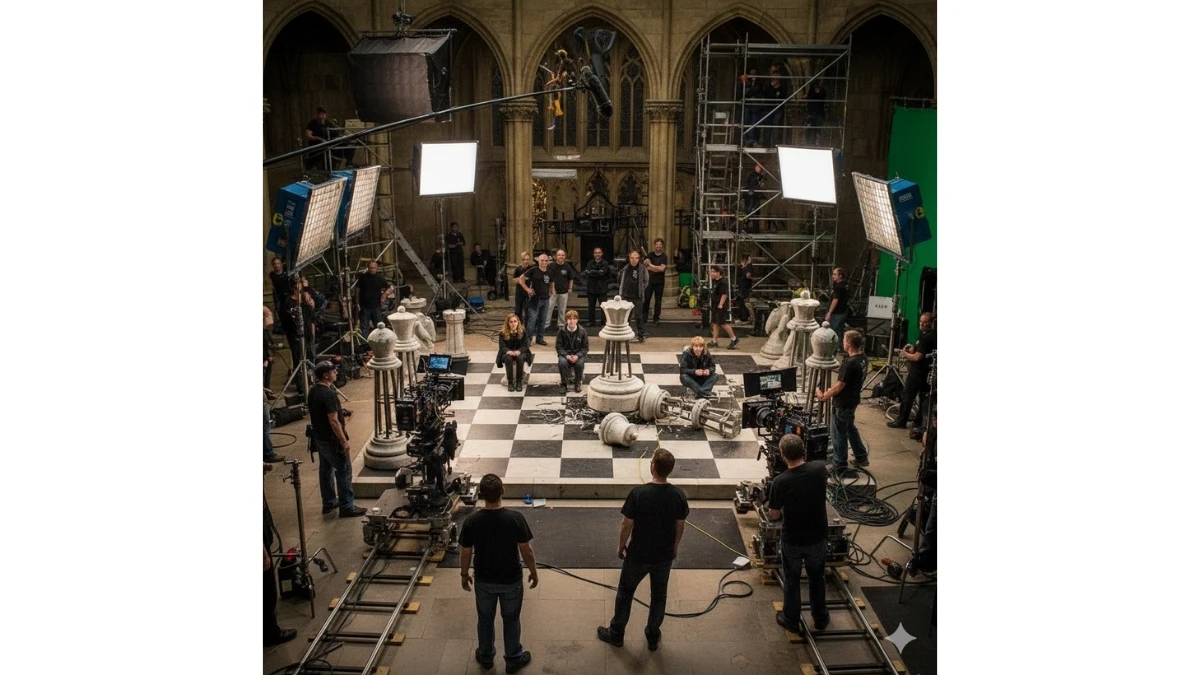
Use This:
"Create a behind-the-scenes cinematic view of the exact superhero movie scene shown in the final poster. Keep all 8 superheroes in the same positions, poses, costumes, and scale as the original scene, frozen mid-action. Do not change character placement or expressions.
Reveal the full film production environment around them: visible camera rigs on cranes and dollies, large IMAX/ARRI cinema cameras, green screens, LED volume panels, softbox key lights, rim lights, flags, reflectors, and light stands positioned strategically around the heroes. Show boom microphones, cables on the ground, smoke machines, and wind machines used to create cape movement.
Include crew members wearing headsets and casual production clothing—director giving instructions, cinematographer adjusting camera settings, gaffer tweaking lights, VFX supervisor holding a tablet with CGI overlays, assistants holding clapperboards. Keep crew realistic and secondary, not overpowering the heroes.
The background should partially reveal unfinished sets, green-screen walls, scaffolding, and raw studio structures, contrasting with the epic scene. Lighting should remain cinematic but more neutral and practical, showing how highlights and shadows are created.
Apply clean denoising and high-detail sharpening for a crisp, professional studio look. Maintain realistic depth of field, natural skin tones, accurate fabric textures, and subtle reflections. Render in 8K photorealistic quality, documentary-style realism, with a slight cinematic color grade but less dramatic than the final poster. Avoid stylization or cartoon effects—this should feel like a real on-set production photo."
Best for: Behind-the-scenes visuals, film marketing extras, VFX breakdowns, educational content, documentary features, and cinematic AI concept showcases.
10 Hunyuan 3.0 Aesthetic Portrait Prompts for Girls - Try Now!
Prompt 11: Isometric Subway Line Status Diorama
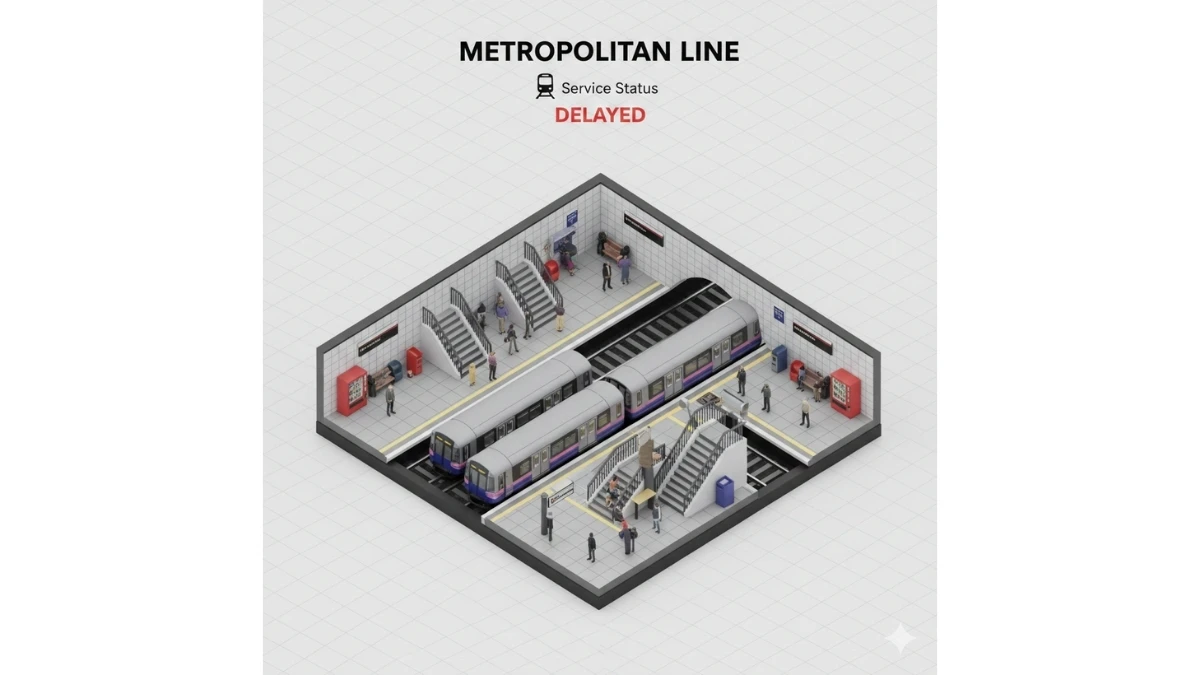
Use This:
"Create a clean, ultra-detailed 3D isometric miniature scene viewed at a clear 45° top-down angle, depicting the [SUBWAY SYSTEM / LINE NAME] as a stylized diorama. The scene features a compact subway platform with miniature trains, platform edges, stairwells, directional signage, tiled walls, vending machines, ticket gates, benches, and small groups of people waiting, all scaled consistently to feel handcrafted yet realistic.
Use soft, refined textures and physically based (PBR) materials for tiles, metal rails, glass, plastic, and concrete. Lighting should be lifelike and balanced, with gentle key light from above, subtle ambient occlusion, and slight soft shadows to clearly define depth without clutter. Keep colors natural and readable.
Typography & UI elements:
• At the top center, place the title “[LINE NAME]” in bold sans-serif text.
• Directly below, add a train icon, followed by “Service Status” in small neutral text.
• Beneath that, display “[STATUS MESSAGE]” in medium-weight text—red for delays or green for on-time service.
Ensure the text is crisp, evenly spaced, and aligned for an editorial infographic look.
Set the background to a soft, solid tile-white tone for clarity and contrast. The overall composition should be centered, minimal, and easy to scan, with no unnecessary decoration. Render in square 1080×1080, ultra-detailed miniature realism, clean edges, and print-ready clarity. Avoid cartoon styling or heavy color grading."
Best for: Transit service updates, public information graphics, social media posts, editorial infographics, transport apps, and smart city visualizations.
Image Credits: Google Gemini AI