
How to Do the Caricature Trend on Facebook?
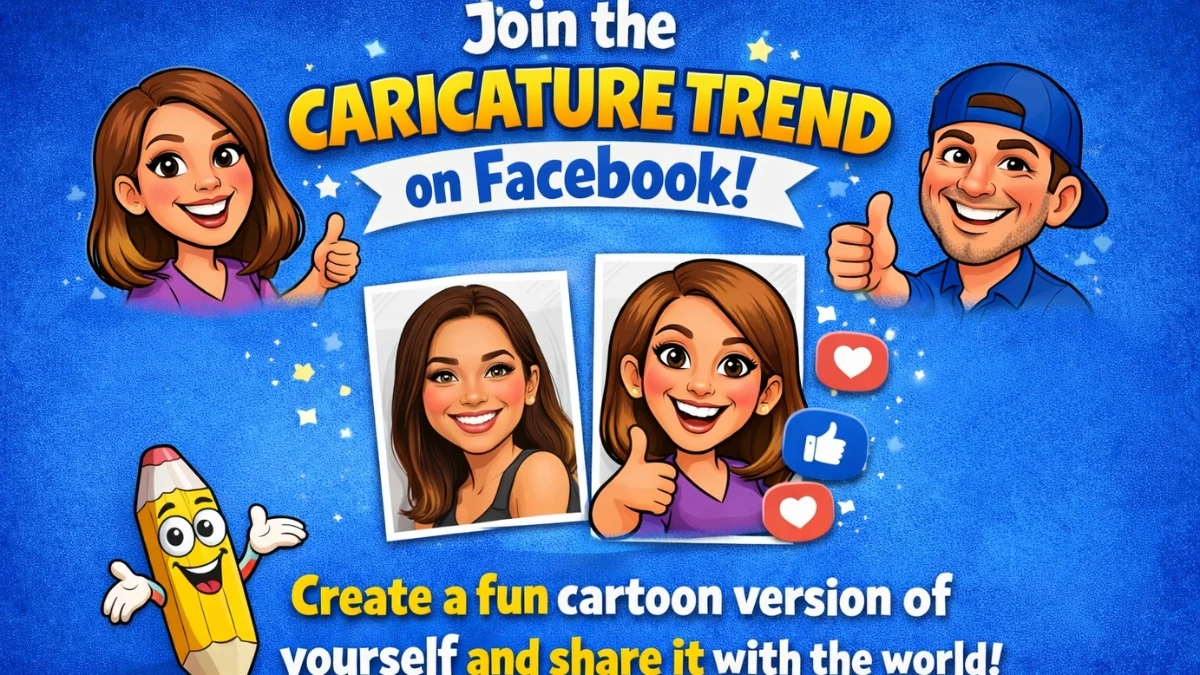
To do the caricature trend on Facebook, first create an AI caricature image, then post it with a short caption that explains “you at work” or “you in real life vs online” and share it to your feed or story.
Most people are using the viral “Create a caricature of me and my job based on everything you know about me” style prompt with an AI tool, saving the image, and then uploading it to Facebook like a normal photo post.
The fun comes from how exaggerated and slightly ridiculous the image looks, so the goal is more “relatable chaos” than perfect beauty shot.
A common pattern seen in recent posts is: selfie or simple profile photo is uploaded into an AI caricature generator, the tool spits out a cartoon-style version with big expressions, props, or job references, and then users add a casual caption like “Apparently this is me as a content writer who never leaves the laptop.” Friends jump in with reactions, teasing comments, and their own caricatures, which is why the trend spreads fast on Facebook, especially in office groups, alumni circles, and meme pages.
What is the Caricature Trend on Facebook?
The caricature trend on Facebook is a viral AI craze where people turn their photos and jobs into exaggerated cartoon-style portraits and post them as profile pictures, stories, or feed posts.
It usually revolves around the “ChatGPT caricature trend,” where an AI tool creates a caricature based on a person’s face and what they do for work, often adding funny props like giant coffee cups, floating files, or dramatic lighting around laptops.
This started picking up serious speed in late January and early February 2026, and now feeds are full of big heads, bright colors, and job-themed scenes that look like a mix of comic book art and LinkedIn satire.
On Facebook specifically, people are using these caricatures as:
-
New display pictures and cover photos that stand out in crowded friend lists.
-
Posts in groups and comment threads where everyone shares their caricature “of me and my job” and reacts to each other’s results.
Some users treat it like a mini personality reveal: teachers appear buried in oversized books, engineers hold ridiculous blueprints, gamers sit in front of over-the-top setups with glowing monitors.
Others just use a clean, colorful caricature headshot as a fresh social media avatar because it feels playful but still recognisable. The main reason it keeps spreading is that it looks fun, feels personal, and can be created in seconds without needing drawing skills or design software.
Step-by-step: From Selfie to Facebook Post
To follow the caricature trend step-by-step, choose a clear photo, generate the caricature with an AI tool, then upload and share it on Facebook with a simple, human-sounding caption. Here’s a straightforward flow that matches how people are doing it right now in early February 2026:
-
Pick a front-facing, well-lit selfie or headshot where facial features are visible and not heavily filtered.
-
Open an AI caricature tool (for example, an AI caricature generator or an image-capable chatbot) and upload that photo.
-
Use a prompt in this style: “Create a caricature of this person at work, exaggerate facial features, keep it fun and recognizable, cartoon style.”
-
If the first result feels off, adjust details like job role, personality (“introvert who drinks too much coffee”), or art style (comic, 3D, graffiti, etc.) and regenerate until it feels right.
-
Save or download the final caricature image to the phone or computer.
-
Open the Facebook app or website, create a new post, and upload the caricature like any normal photo.
On Facebook, posts that add a small story tend to feel more genuine: “Apparently this is the version of a support agent who answers emails at 2 a.m.,” or “This is what AI thinks a teacher with 40 students looks like.” These small details make the trend feel personal instead of just “another AI filter.”
Making It Feel Human, Not Robotic
To make the caricature trend feel more human on Facebook, focus on a simple caption, honest details, and avoid stuffing repetitive keywords or over-explaining the joke.
Instead of repeating trend phrases over and over, one clear line plus a short note about work, hobbies, or mood is usually enough for both engagement and clarity. A good rule is: write the caption as if talking to friends, not writing an advertisement.
Some helpful practices that keep it natural and aligned with helpful-content guidelines:
-
Use everyday language instead of awkward, forced phrasing or keyword chains.
-
Mention only what actually applies: job, daily chaos, a funny habit, not a full “bio” every time.
-
Avoid long, generic disclaimers at the end of the post; most people don’t read them, and they make the post look mechanical.
-
If sharing in a public group, one short safety note like “AI-generated caricature, just for fun” is enough to keep expectations clear and honest.
The most relatable posts often include small imperfections: slightly messy background in the original selfie, a caricature that overdoes the smile, or a caption admitting that the tool made the character look more dramatic than real life. These details signal that the trend is being used for fun and connection, not as a perfectly polished branding exercise.
Safety, Privacy, and Time Context
To safely join the caricature trend on Facebook right now, avoid uploading extremely sensitive photos, check what the AI tool does with images, and remember that this is a public meme, not a private diary.
Many tools explain how they store or process images, so reading that brief section before uploading helps maintain trust and aligns with responsible, transparent use of AI.
This caricature meme is one of the first big AI image trends of the year and is actively spreading across Facebook, Instagram, TikTok, and LinkedIn.
On Facebook in particular, it is common to see it in work-related groups where people post “me at my job” caricatures, then colleagues reply with their own, turning the trend into a light, community-style interaction rather than just another filter.
Disclaimer: This is for general informational purposes only and should not be taken as professional or legal advice. Users are encouraged to verify details independently before acting on any guidance.